Schema Markup for Manufacturer SEO: A Practical Implementation Guide

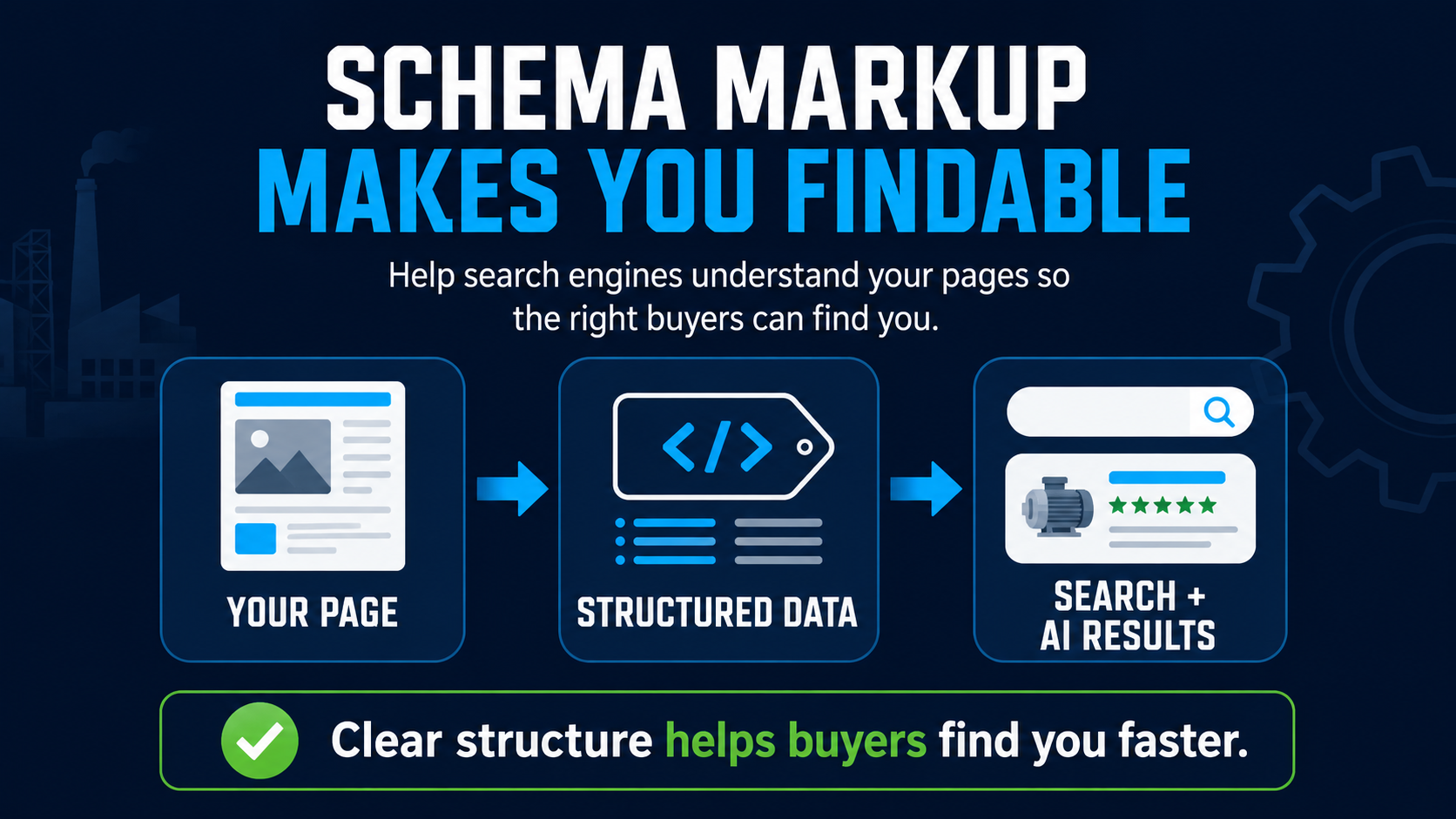
Schema markup for manufacturers is the structured data that tells Google and AI engines, in plain machine-readable terms, exactly what a page is: a product, an article, an FAQ, an organization. It's the most direct ranking signal still fully under your control, and most manufacturer sites use almost none of it.
What it does for you:
- The types: Product, Article, FAQ, Organization, How-to
- The job: tells engines precisely what the page is
- The payoff: lifts classic rankings and AI citations alike
The work is one-time. The compounding effect is years. For the broader system, see the SEO for Manufacturers hub.
If you want it done for you, see our manufacturing SEO services.
What schema markup is
Schema markup is a vocabulary defined at schema.org that lets a webpage describe itself in machine-readable form. It is implemented as JSON-LD code added to the page's HTML, typically in the head section. Search engines parse the schema and use it to understand the page's content, eligibility for rich results, and place in the broader topical landscape.
For manufacturers, schema is the difference between Google guessing what a page is about based on text patterns and Google knowing what the page is about because the page told it. Both Google and the AI engines (ChatGPT, Perplexity, Gemini) preferentially cite content with clean, accurate schema.
The 5 schema types every manufacturer should use
Schema.org defines hundreds of types. For manufacturers, five cover roughly 90% of the value:
- Organization schema: implemented site-wide; identifies the brand, contact info, locations, social profiles.
- Product schema: implemented on every product page; covers name, description, image, brand, identifier, and (when applicable) price and availability.
- Article schema: implemented on every blog post; covers headline, author, publish date, modified date, image.
- FAQ schema: implemented on any page with a FAQ section; helps engines parse question-and-answer pairs for AI Overviews and answer engines. (Google retired FAQ rich results for most sites in 2023.)
- HowTo schema: implemented on application or installation guides; powers step-by-step rich results.
Product schema for manufacturer spec pages
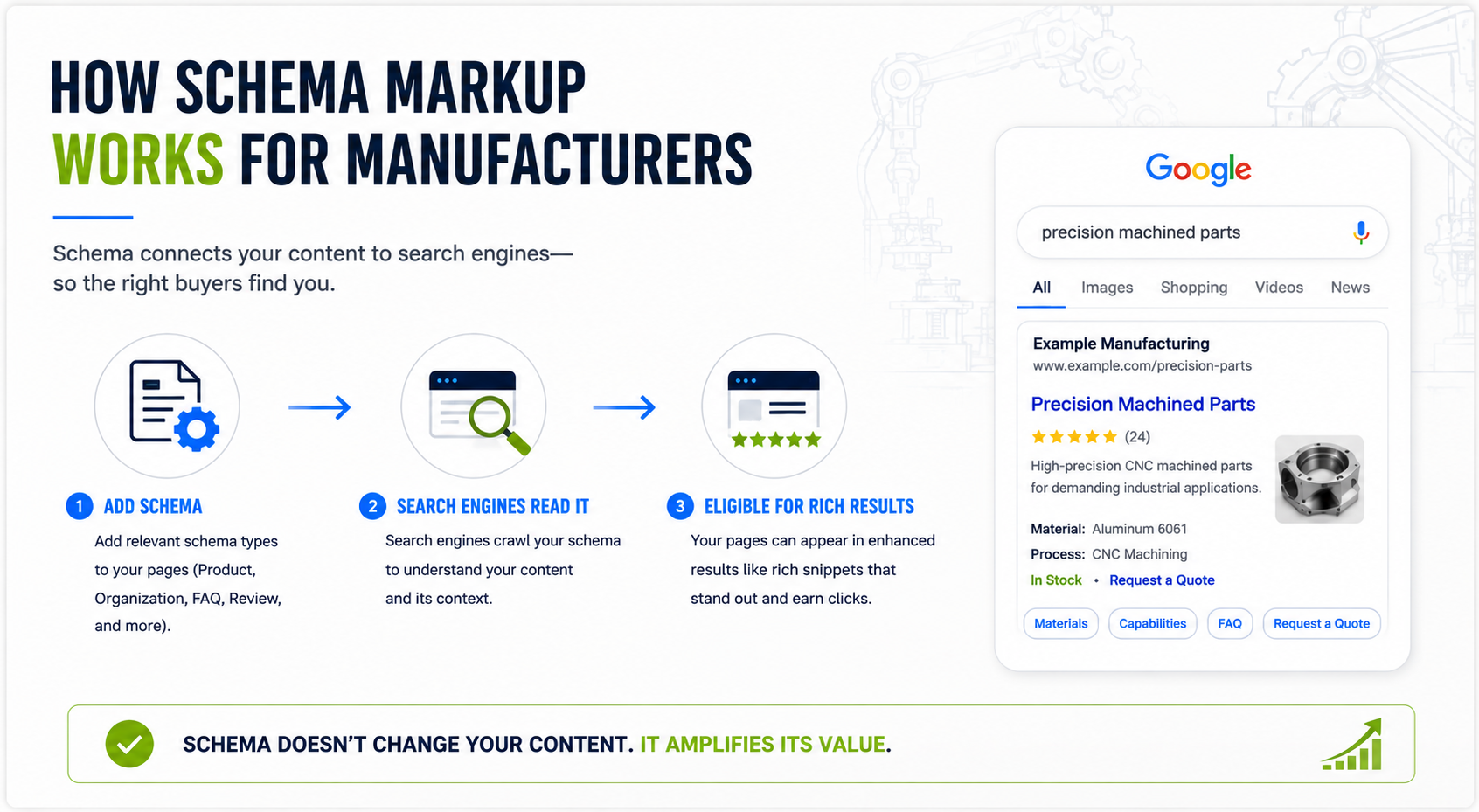
Product schema is the highest-leverage schema type for most manufacturers. It tells Google that the page describes a specific product, with named attributes Google can surface in rich results. The required properties are name, image, and at least one of: review, aggregateRating, or offers.
For B2B manufacturers without consumer-style pricing, the offers property can use 'POA' (price on application) or omit price entirely if the product is configured per quote. The brand and identifier properties (manufacturer, MPN, GTIN) help Google distinguish your product from competitors with similar names.
Article schema for blog posts
Article schema marks every blog post and informational page. Required properties: headline, image, author, datePublished, dateModified. Optional but valuable: publisher, mainEntityOfPage.
The dateModified field is particularly important for AI engines, which favor freshness. Update it whenever the content materially changes.
FAQ schema in the AI era
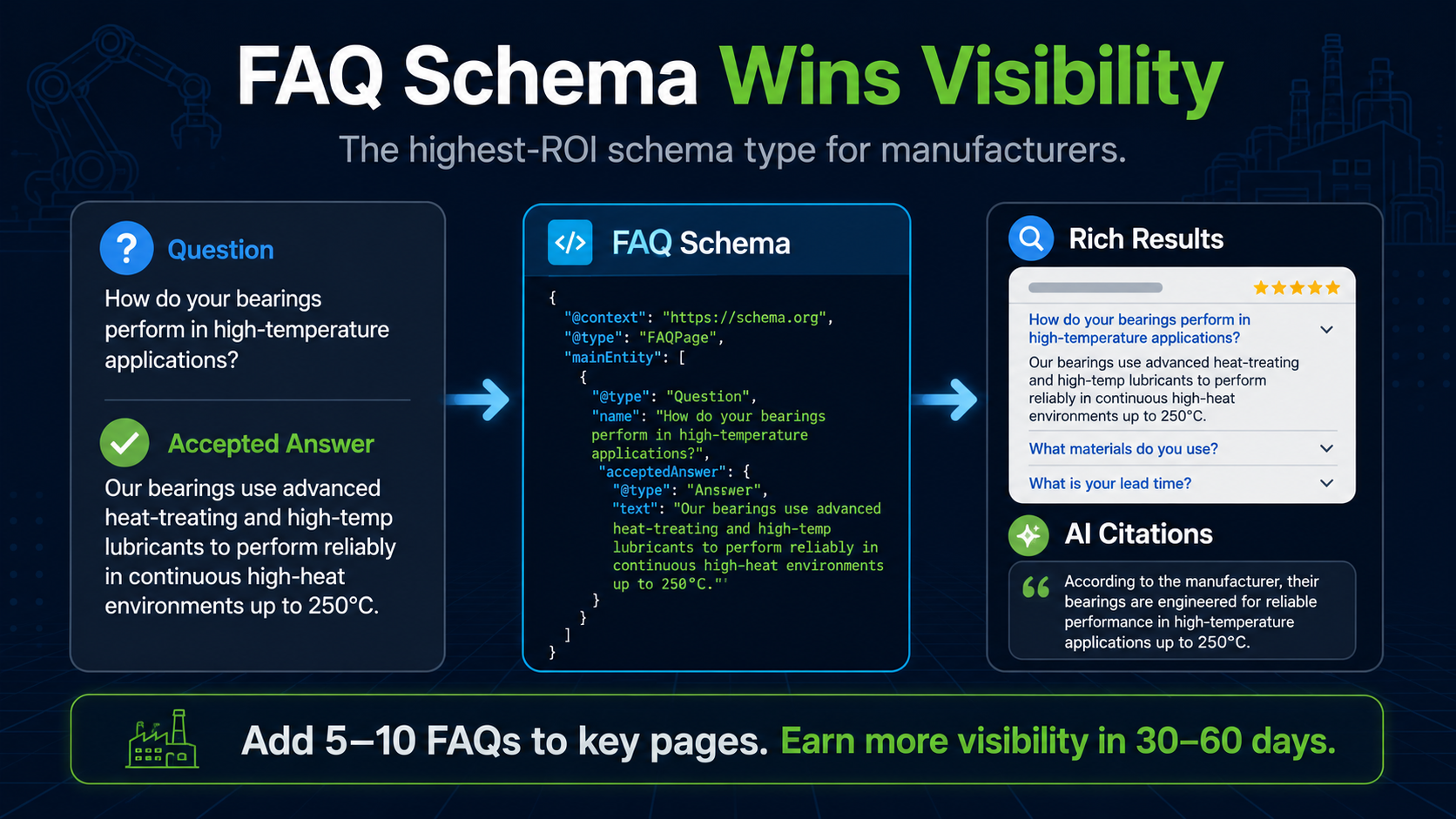
FAQ schema marks question-and-answer pairs on a page. Google retired FAQ rich results for most sites in 2023, so this markup no longer produces the old search dropdown, but it still helps AI engines like ChatGPT, Perplexity, and Google's AI Overviews parse and cite your question-and-answer content. The implementation is simple: each FAQ entry becomes a Question with an acceptedAnswer containing the answer text.
Manufacturers underinvest in structured FAQ content dramatically. Adding 5-10 well-structured FAQ entries to every major product, application, and hub page typically lifts AI-Overview citation share and on-page relevance within 30-60 days. The FAQ section in this post (and every Peak 10 post) is structured to be schema-eligible.
Organization schema for the brand
Organization schema is implemented site-wide, typically in the website's footer or via a global JSON-LD block. It tells Google the canonical brand name, logo, contact info, social profiles, and locations. For multi-location manufacturers, use the LocalBusiness type (or its sub-types) for each physical location with address, phone, hours, and geographic coordinates.
HowTo schema for application content
HowTo schema marks step-by-step instructional content (installation guides, application walkthroughs, maintenance procedures). For manufacturers with technical application content, HowTo schema is high-leverage: Google often features HowTo content as expanded rich results, and AI engines preferentially cite step-by-step structured content.
Validating schema with Google Rich Results Test
Always validate schema implementations using Google's Rich Results Test (search.google.com/test/rich-results). The tool parses the page, validates the schema syntax, and previews any rich result the page is eligible for. Schema errors silently kill ranking benefits, so validation is mandatory, not optional.
Re-validate after every major template change. Websites occasionally update how it renders custom code, and schema can break without warning. A monthly automated check is good practice for active manufacturer sites.
Frequently asked questions
Will schema markup directly improve rankings?
Schema does not directly raise rankings, but it dramatically improves the ways your pages can appear in search results (product and how-to rich results, AI Overview citations, and cleaner machine-readability). Google retired FAQ rich results for most sites in 2023, so FAQ markup now pays off mainly through AI engines. The downstream effect on AI citation share and machine-readability is significant and measurable.
Should manufacturers implement all schema types at once?
Sequence matters. Start with Organization (sitewide) and Product (every product page). Add Article schema to all existing blog posts in a single pass.
Layer FAQ schema onto top-trafficked pages first. HowTo schema is the last addition, on application content. Total implementation time for a 50-page manufacturer site is typically 1-3 weeks.
What happens if schema is incorrect?
Minor errors (missing optional fields) usually have no negative effect; Google ignores invalid schema rather than penalizing it. Severe errors (incorrect types, contradicted properties) can cause the page to lose rich-result eligibility. Validate after every implementation.

Related Resources
Learn More About the Future of Digital Marketing
The future belongs to those who build it. Discover how to engineer marketing systems that perform as precisely as your production line.